

|
Last Site Update: August 18th, 2026 | Latest Version: 13.1.0 |
|
|
|
|
|
|
|
|
|
|
|
|
|
Code CompletionRequesting Code CompletionCode completion provides context-sensitive completions and is enabled with Ctrl+Space. (Note that eclipse has simple emacs-style text-completion with Alt+/). It's important to note that your interpreter must be properly configured for the code-completion to work, and for getting the builtins, PyDev spawns a shell, so, having a firewall can prevent the code-completion from working if it's blocking the communication from eclipse to that shell. PreferencesIf you want to configure something, you have to go to window > preferences > PyDev > Editor > Code Completion. 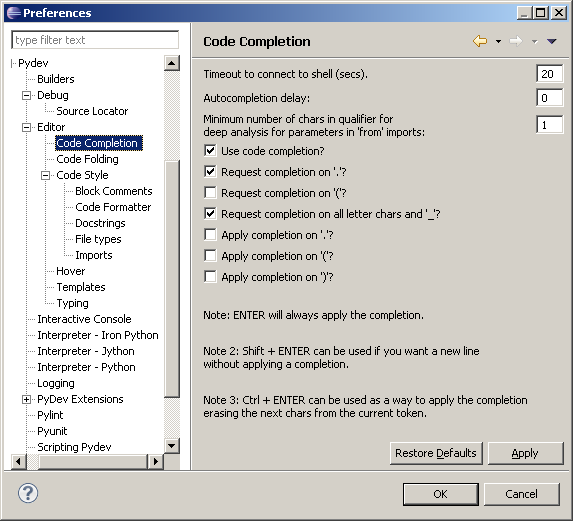
SnapshotsCompleting on a variable on the class (also works for locals) that are defined in the same scope we are.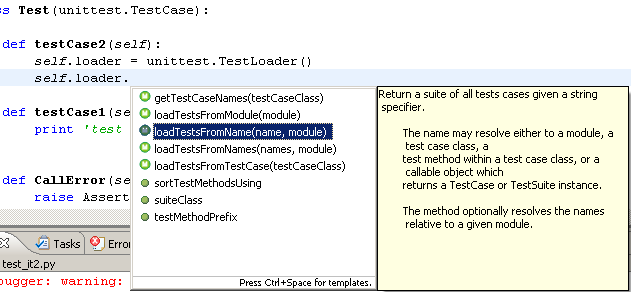
Getting the builtins.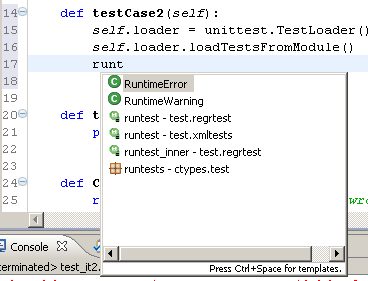
Completing on a class (note that we get the hierarchy even from builtins).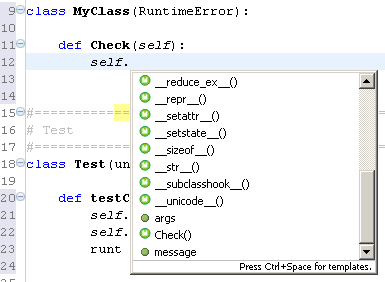
Completing for making an import (goes for PYTHONPATH)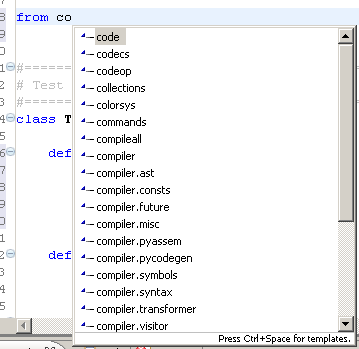
Completing on an import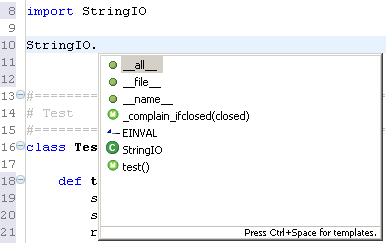
Completing for global tokens (handles wild-imports, local imports, local variables, etc.)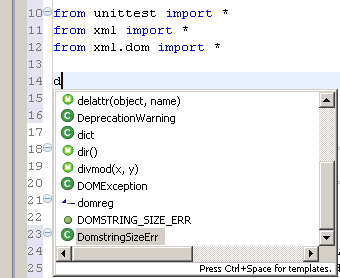
|
PyDev developmentPyDev is open source and depends on your contributions! This may be in the form of bug fixes, answers on stackoverflow, new features...Another option is financially supporting it at: Patreon (which provides a way to support it monthly and get rewards starting with $1). 
Or through 1-time contributions at: Paypal 

Search PyDev-related content |
|
|
|
|
Copyright: Brainwy Software Ltda, 2014-2025 |